
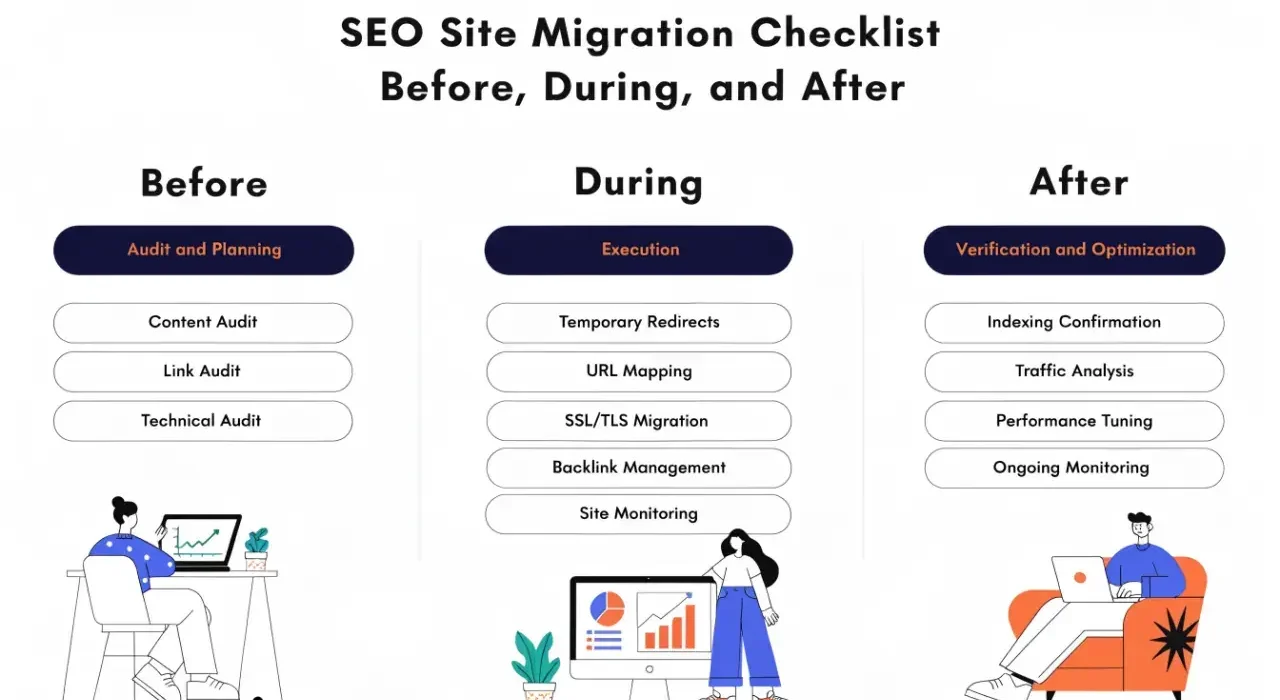
TL;DR: An SEO site migration checklist organized into three phases: pre-migration (audit and plan), launch day (execute and validate), and post-migration (monitor and fix). Every indexed URL needs a mapped destination and a tested redirect before you flip the switch.
What is an SEO site migration checklist?
An SEO site migration checklist is a structured sequence of tasks that protect your organic traffic when you change your website’s platform, domain, URL structure, or design. The checklist ensures that every page Google has indexed on your old site has a valid path to its equivalent on the new site.
Without this checklist, the average migration loses 10-30% of organic traffic. Some never recover.
Phase 1: Pre-migration (2-4 weeks before launch)
Everything that determines whether your migration succeeds or fails happens before launch day. This phase is where most teams cut corners and pay for it later.
Baseline your current organic performance
You cannot measure migration success without knowing where you started. Document these metrics before touching anything:
| Metric | Where to Find It | Why It Matters |
|---|---|---|
| Total indexed pages | GSC > Pages report | Detect indexation loss post-migration |
| Organic sessions by page type | Google Analytics | Identify which templates drive traffic |
| Top 50 pages by organic traffic | GA or Ahrefs | These pages need the most careful redirect mapping |
| Current keyword rankings (top 100) | Ahrefs, Semrush, or GSC | Baseline for post-migration comparison |
| Backlink profile by page | Ahrefs | Pages with external links need perfect redirects |
| Core Web Vitals status | GSC > CWV report | Compare performance before and after |
Export all of this data. You will reference it daily for the first 30 days after launch.
Create a complete URL inventory
Every URL that Google has ever indexed needs to be accounted for. Not just your current sitemap. Google may have indexed pages you have since removed, old parameter URLs, or pages you forgot existed.
Sources for your URL inventory:
- XML sitemap (current indexed pages)
- Google Search Console > Pages report (all URLs Google knows about)
- Screaming Frog crawl of the live site
- Ahrefs or Semrush “indexed pages” report
- Server logs (URLs Googlebot has requested in the last 90 days)
- Google Analytics landing pages (pages that actually receive traffic)
Merge all sources and deduplicate. This is your master URL list. Every URL on this list needs a decision: redirect to new URL, redirect to closest equivalent, or intentionally let it 404 (only for genuinely deleted content with no traffic or backlinks).
Map every URL to its new destination
This is the most important step in the entire migration. Every old URL needs a mapped destination on the new site.
URL mapping rules:
- Map to the topically equivalent page (not just the homepage)
- If the exact page exists on the new site, map 1:1
- If the page was consolidated, map to the consolidated version
- If the page is genuinely being removed, check for backlinks first. If it has backlinks, redirect to the closest relevant page
- Never redirect everything to the homepage. Google treats mass homepage redirects as soft 404s
Format your redirect map as:
Old URL | New URL | Redirect Type | Notes
/old-page/ | /new-page/ | 301 | Direct equivalent
/removed-page/ | /related-page/ | 301 | Consolidated content
/truly-gone/ | - | 410 | No traffic, no backlinks, intentional removal
Validate redirects in staging
Before launch, implement all redirects on your staging environment and test them programmatically. Do not rely on manual spot-checking.
Validation checks:
- Every URL in your redirect map returns the correct status code
- No redirect chains (A > B > C should be A > C)
- No redirect loops
- Redirects work with and without trailing slashes
- Redirects work for both HTTP and HTTPS versions
- Response time for redirected URLs is under 500ms
Tool: Run a crawl of all old URLs against the staging environment using Screaming Frog’s list mode. Every URL should return either 200 (if the page exists on new site) or 301 (if redirected).
Crawl the new site in staging
Run a full crawl of the new site before it goes live. Check for:
- All pages return 200 status codes
- No broken internal links
- Canonical tags are correct (self-referencing on the new URLs)
- XML sitemap contains only new URLs (no old URLs)
- robots.txt does not block important sections
- Structured data validates without errors
- Meta titles and descriptions migrated correctly
- Images and media files are accessible
Fix everything found in staging. Do not launch with known issues.
Phase 2: Launch day
Launch day should be boring. If you did the pre-migration work correctly, launch is just flipping a switch and monitoring.
Launch day checklist
Execute in this order:
- Deploy the new site to production
- Activate all redirects simultaneously (not in batches)
- Verify 10 critical redirects manually (top traffic pages)
- Submit the new XML sitemap to Google Search Console
- Request indexing for your top 10 pages via GSC URL Inspection
- Remove the old sitemap from GSC (or let it return 404)
- Monitor server logs for 5xx errors in real-time
- Check Google’s crawl rate in GSC > Settings > Crawl Stats (may take a few hours to update)
Do not make any other changes on launch day. No content updates, no design tweaks, no new features. Isolate the migration as the only variable.
What to do if something goes wrong
If you see a spike in 5xx errors, broken redirects, or the site is inaccessible:
- Rollback plan: Have a tested rollback procedure ready before launch. Know exactly how to revert to the old site within 15 minutes.
- Partial issues: If only some redirects are broken, fix them immediately. Do not wait until morning.
- Full failure: If the new site is down or fundamentally broken, roll back. A few hours on the old site is better than days of downtime on a broken new site.
Phase 3: Post-migration monitoring (30 days)
The first 30 days after migration are critical. Google needs time to recrawl, reprocess redirects, and update its index. Monitor daily.
Daily monitoring checklist (days 1-14)
| Check | Tool | What to Look For |
|---|---|---|
| Crawl errors | GSC > Pages report | New 404s, server errors, redirect issues |
| Crawl rate | GSC > Settings > Crawl Stats | Should increase as Google discovers new URLs |
| Index coverage | GSC > Pages report | Indexed count should stabilize within 7-10 days |
| Organic traffic | Google Analytics | Compare to pre-migration baseline by page type |
| Ranking changes | Ahrefs/Semrush rank tracker | Expect fluctuation days 1-7, stabilization by day 14 |
| Server logs | Log analysis tool | Verify Googlebot is following redirects correctly |
Weekly monitoring (days 15-30)
- Compare indexed page count to pre-migration baseline
- Check that old URLs are being removed from Google’s index (search
site:oldurlto verify) - Monitor organic traffic trends by page type
- Verify Core Web Vitals on the new site (field data takes 28 days to populate)
- Check for any new crawl errors that appeared after initial reprocessing
When to escalate
Normal post-migration behavior: rankings fluctuate for 7-10 days, then stabilize. Some pages may temporarily drop before recovering.
Abnormal behavior that requires investigation:
- Organic traffic down 30%+ after 14 days with no recovery trend
- Large numbers of pages stuck in “Discovered but not indexed”
- Google continuing to show old URLs in search results after 3+ weeks
- New 404 errors appearing that were not in your redirect map
- Redirect chains being reported in GSC that you did not create
Common migration mistakes that lose traffic
These are the patterns we see repeatedly in migrations that fail:
| Mistake | Why It Hurts | How to Prevent |
|---|---|---|
| Incomplete URL mapping | Unmapped pages return 404, losing all their ranking signals | Use multiple data sources for URL inventory |
| Redirecting everything to homepage | Google treats mass homepage redirects as soft 404s | Map each URL to its topical equivalent |
| Not testing redirects in staging | Broken redirects discovered after launch are harder to fix | Programmatic validation before go-live |
| Changing content during migration | Impossible to diagnose whether traffic loss is from redirects or content changes | Migrate first, optimize content later |
| No post-migration monitoring | Issues go undetected for weeks | Daily checks for the first 14 days |
| Launching on a Friday | Problems discovered over the weekend with no team available | Launch Tuesday-Wednesday morning |
Timeline for a typical migration
| Phase | Duration | Key Activities |
|---|---|---|
| Pre-migration audit | Week 1-2 | Baseline metrics, URL inventory, backlink analysis |
| URL mapping and redirect planning | Week 2-3 | Map every URL, write redirect rules, document decisions |
| Staging build and validation | Week 3-4 | Implement redirects, crawl staging, fix issues |
| Launch | Day 1 | Deploy, activate redirects, submit sitemap, monitor |
| Post-migration monitoring | Days 1-30 | Daily checks, fix emerging issues, verify recovery |
Total timeline: 5-6 weeks from kickoff to stabilization. Rushing this timeline is the single biggest risk factor for traffic loss. The pre-migration phase is where you buy insurance against launch-day problems.
Frequently asked questions
How long does SEO recovery take after a site migration?
With proper planning and complete redirect coverage, most sites stabilize within 2-4 weeks. Expect some ranking fluctuation in the first 7-10 days as Google recrawls and reprocesses redirects. Without proper planning, recovery can take 3-6 months or may never fully happen.
Should you migrate all at once or in phases?
For most sites, migrate all at once. Phased migrations create a longer period of instability and make it harder to diagnose issues. The exception is very large sites (500K+ pages) where a phased approach reduces risk by validating each section before moving to the next.
Do 301 redirects pass full link equity?
Google has confirmed that 301 redirects pass full PageRank with no dilution. This was clarified in 2016 and reconfirmed multiple times since. The old claim that redirects lose 15% of link equity is outdated and incorrect.